Pagarbook
2025
PBDemo
Designing approval workflows, budget controls, and review processes to support growing organizations.

Overview
The challenge
PBDemo is a mobile-first demo booking experience that helps businesses quickly understand how PagarBook can simplify workforce management through personalized product demonstrations.
Rather than asking businesses to navigate multiple products or contact sales manually, the experience guides them through registration, qualification, and demo booking in under a minute.
Problem
Supporting growing organizations
The Challenge
Businesses interested in PagarBook often wanted to understand the product before committing to a conversation with Sales.
The existing journey required users to navigate multiple touchpoints before booking a demo, creating unnecessary friction during the first interaction.
The challenge was designing a mobile experience that captured enough business context for Sales while keeping the registration process simple enough to complete in under a minute.
That's a product problem.
Constraints
• Mobile-first experience
• Existing sales qualification process
• Required business information before demo booking
• Marketing-led acquisition
• Needed to support multiple PagarBook products
Understanding the Flow
Before exploring screens, I mapped the complete journey between marketing and sales.
Designing only the registration screen would solve part of the problem.
Understanding the complete acquisition journey helped identify where users experienced the most friction.
Key Insights
Every additional form field increased signup friction. Business qualification had to balance data collection with conversion.
Users needed confidence before committing to a sales conversation. Clear value communication mattered as much as the form itself.
Businesses weren't buying software immediately. They were evaluating whether PagarBook solved their operational problems.
Design Principles
Reduce friction.
Explain value before asking for information.
Collect only essential information first.
Guide users toward a conversation—not a purchase.
Decision 1
Lead with Value Before Qualification
Rather than immediately asking businesses to complete a registration form, I focused the landing experience on communicating what users would gain from booking a demo.
Showing the product value before requesting information increased confidence and made qualification feel like the next logical step rather than an interruption.
Decision 2
Progressive Qualification
Sales teams wanted rich customer information before scheduling demonstrations. However, every additional question introduced another opportunity for users to abandon the process.
Instead of presenting a long registration form, I structured the flow progressively, collecting only the information required at each step while keeping the overall experience lightweight.
Decision 3
Design for Sales, Not Just Users
The experience wasn't complete when users submitted the form. The information collected needed to help the Sales team understand the business before the demo call.
Every field, success state, and confirmation screen was designed to support both user confidence and internal sales efficiency.
Outcome
The final experience enabled businesses to register for personalized product demonstrations in under one minute while providing Sales with the information needed to conduct more relevant conversations.
The project reinforced an important product lesson:
The goal wasn't reducing form fields.
The goal was reducing the time between product discovery and a meaningful sales conversation.
Design
Designing approval workflows
Reducing friction during demo requests
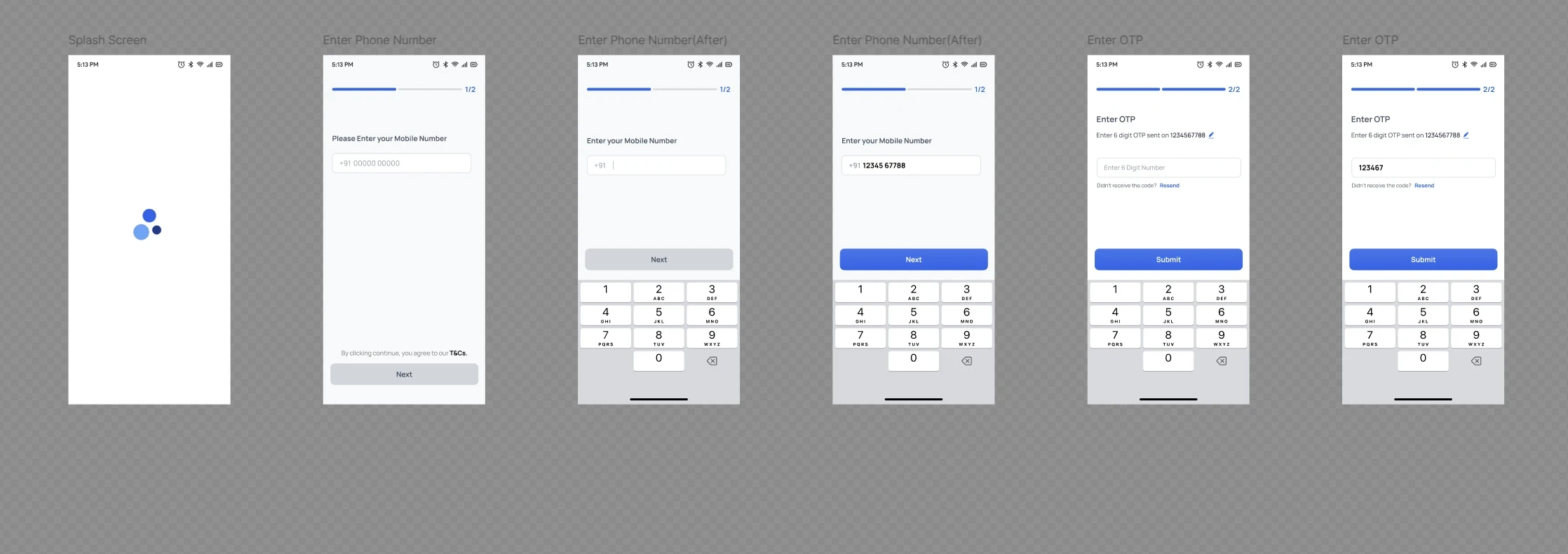
The onboarding flow captures essential business information while minimizing the number of required steps.
Progressive disclosure keeps users focused on one decision at a time instead of presenting a long registration form.
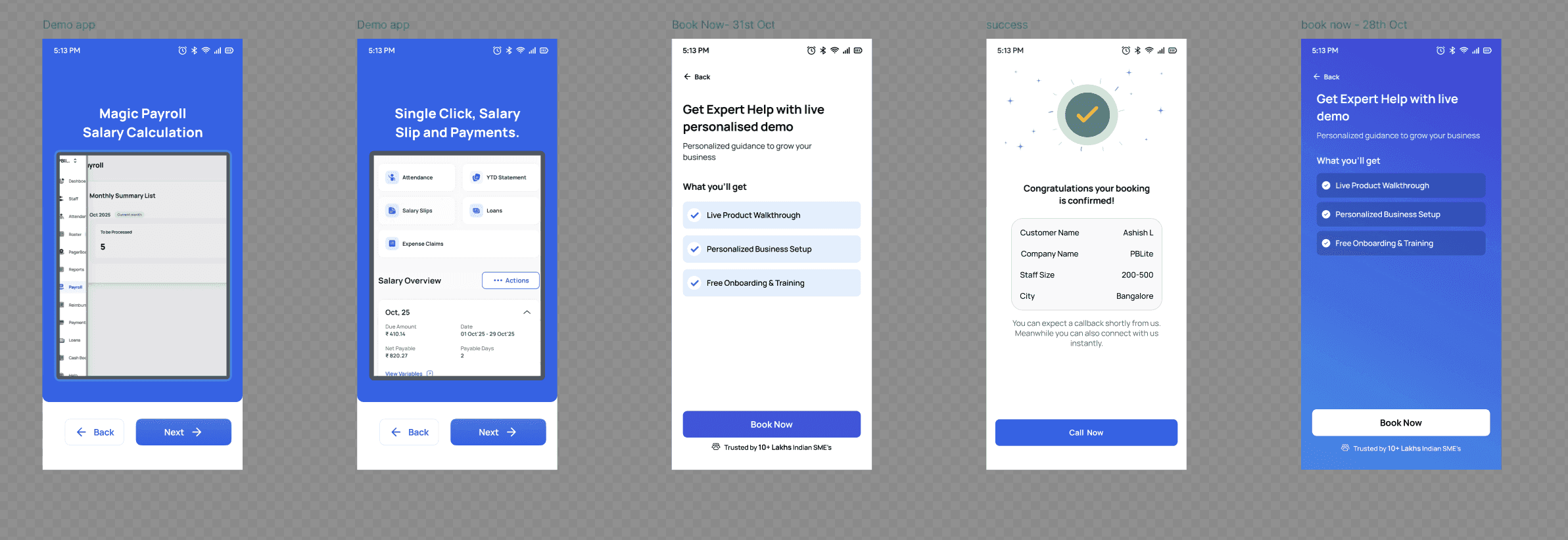
Trust signals and clear value communication encourage businesses to complete the demo request.
Success states explain what happens next, reducing uncertainty after submission.
Balancing business requirements with user experience
Qualification questions collect useful sales information without making the process feel like a lengthy application.
Information is grouped into logical steps to reduce perceived effort.
The flow helps sales teams receive qualified leads while keeping the experience approachable for first-time users.

Reflection
Designing for operational complexity
This project taught me that onboarding isn't only about helping users complete a form.
It's about balancing two different goals at the same time:
creating the lowest-friction experience for users while ensuring internal teams receive the information they need to deliver value.
Designing for both sides of that workflow changed how I think about acquisition products.