Unacademy
2025
Airlearn
Scaling educator workflows through a stronger design system
Overview
Creating a structure around storytelling
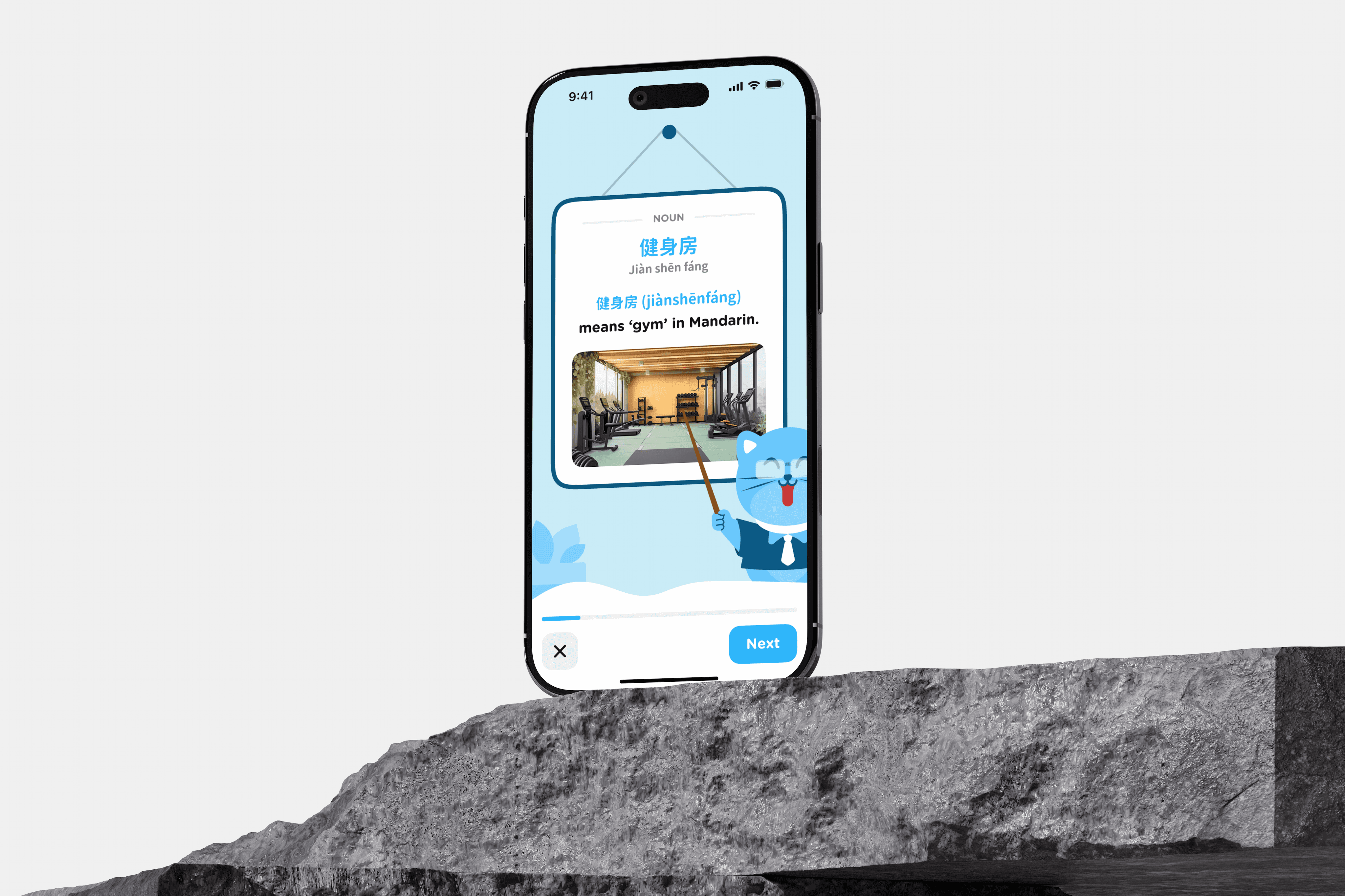
Airlearn is Unacademy's language-learning platform helping educators create interactive lessons across multiple languages.
I joined as a Product Design Intern to extend the existing design system with reusable learning components that could scale across educators, content creators, operations, and students.
Impact
• Reduced lesson creation effort by ~50%
• Created 20+ reusable components
• Standardized multilingual learning experiences
Problem
As products grow, inconsistency becomes a product problem
The Challenge
The existing design system supported only basic lesson formats.
As educators introduced richer learning experiences fill-in-the-blanks, matching exercises, audio interactions, and multilingual content the content creation process became increasingly manual and inconsistent.
The challenge wasn't designing individual lessons.
It was designing a system that could scale.
Research
Understanding how designers and engineers collaborate at scale
Before designing components, I mapped the entire lesson creation workflow.
Educators wrote the learning content.
Content creators converted it into lesson screens.
Operations verified every lesson through Retool.
Approved lessons were published to the learner app.
Every design decision needed to support this complete workflow rather than only the student experience.
Ideation
Building reusable systems instead of isolated screens
Key Insights
Languages expand differently. Layouts needed to adapt without breaking.
Content creators needed reusable templates more than visual flexibility.
The design system had to serve internal teams just as well as students.
Design Principles
Design reusable systems instead of individual screens.
Support multilingual content without redesigning layouts.
Reduce manual work wherever possible.
Build on existing patterns instead of replacing them.
D-1. Templates instead of Screens
Rather than creating custom layouts for every exercise, I built reusable templates that allowed content creators to plug in lesson content without redesigning interactions.
This reduced repetitive work while keeping lessons visually consistent.
D-2. Flexible Layouts
Languages vary significantly in word length and sentence structure.
Instead of fixed components, I designed layouts with adaptive spacing, dynamic text wrapping, and responsive sizing so components could scale naturally across languages.
D-3. Extend the Existing Design System
Replacing the existing design system would have introduced unnecessary change across the platform.
Instead, I extended existing colour tokens, typography, spacing, and interaction patterns so new components felt familiar to both users and developers.
D-4. Designing Beyond the Student Experience
The real users weren't only students.
Educators needed simple authoring.
Content creators needed reusable templates.
Operations required predictable structures for verification.
By designing for the entire workflow, the system became easier to adopt across every team involved in lesson creation.
Design
Building a flexible content system
Building reusable learning components
Instead of creating every lesson screen from scratch, we designed reusable components that content creators could swap based on the exercise type.
Every exercise follows a numbered template system, allowing content creators to quickly identify and replace the required component.
Components can be swapped without affecting the surrounding lesson structure, making content updates faster and more consistent.
Standardized templates reduced repetitive design work while keeping lessons visually consistent across the platform.
The system was designed for non-designers, enabling content creators to build lessons without modifying the underlying design.
Scaling content creation across multiple languages
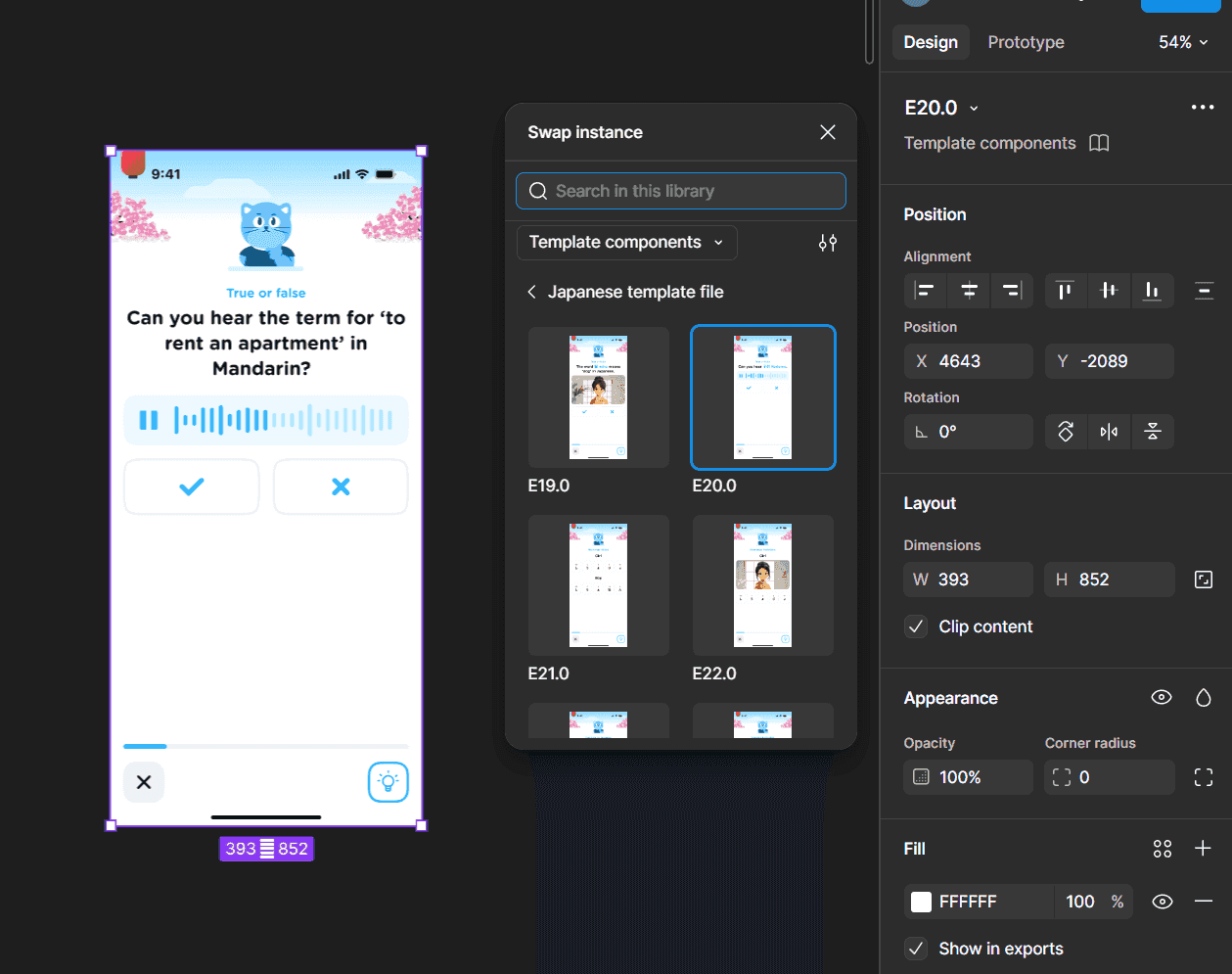
The biggest challenge wasn't designing one lesson—it was ensuring the same lesson structure could work across multiple languages.
Each language maintained its own content library while sharing the same component architecture.
Exercise templates remained consistent, allowing teams to replace content without redesigning layouts.
Numbered template libraries simplified collaboration between designers, content creators, and operations teams.
A shared component system reduced inconsistencies and accelerated lesson production across different language teams.
Designing for the entire content pipeline
Because this is the coolest part of AirLearn.

Then write:
Components were designed for every stage of the content pipeline—not just the student experience.
Clear structure reduced review effort during operational verification.
Consistent templates made collaboration between educators, designers, and content creators more efficient.
The same component system supported content creation from lesson planning through production.
Outcome
A more consistent product and a faster design-to-development workflow
Results
20+ reusable learning components
~50% reduction in lesson creation effort
Supported multiple languages
Reusable template library adopted by content teams
Reflection
Design systems create value only when people actually use them.
Designing internal workflows can have as much impact as designing customer-facing experiences.
Reusable systems reduce complexity for both teams and products.


